
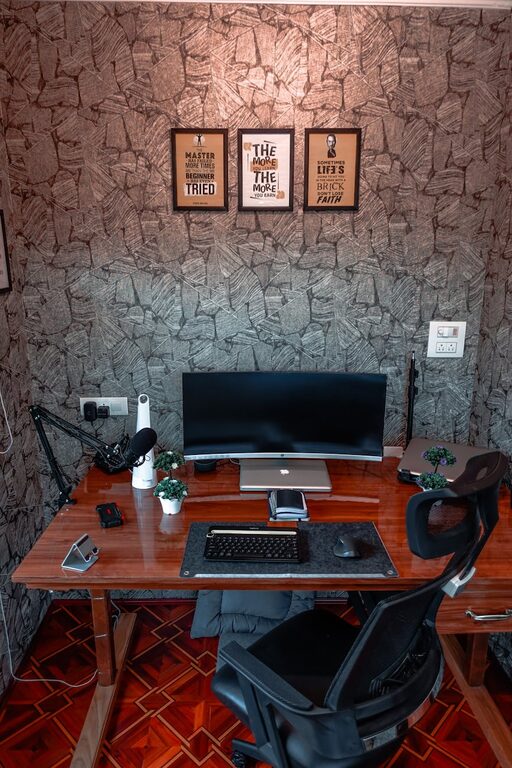
Creating a cozy and functional home workspace is essential for anyone who spends a significant amount of time working from home. Whether you’re a remote employee, a freelancer, or someone who enjoys managing personal projects at home, your workspace can greatly affect your productivity and overall well-being. This blog post will guide you through practical tips to design a space that is both inviting and efficient.
Why a Cozy and Functional Workspace Matters
When your workspace feels comfortable, it can reduce stress and increase motivation. Functionality ensures that everything you need is within reach and that you can work without distractions or discomfort. Balancing coziness with functionality is key to maintaining focus and enjoying your workday.
Choosing the Right Location
Consider Natural Light
Position your desk near a window if possible. Natural light helps improve mood and reduces eye strain. However, be mindful of glare on your computer screen. Using adjustable blinds or curtains can help control the light.
Minimize Distractions
Select a spot with minimal foot traffic and noise. If completely isolating the workspace is not possible, consider noise-canceling headphones or a white noise machine to maintain concentration.
Design Tips for a Cozy Atmosphere
Use Comfortable Seating
Invest in a good ergonomic chair that supports your posture. Add a cozy cushion or throw blanket to enhance comfort and warmth during colder months.
Incorporate Soothing Colors
Choose calming colors like soft blues, greens, or earth tones for your walls or décor. These shades can create a peaceful environment conducive to focus.
Add Personal Touches
Decorate your space with items that inspire you — framed photos, plants, artwork, or motivational quotes. Personalizing your workspace can make it feel more inviting and boost creativity.
Prioritizing Functionality
Organize with Storage Solutions
Clutter can be distracting. Use shelves, filing cabinets, or desk organizers to keep papers, office supplies, and gadgets neatly arranged.
Invest in Quality Lighting
Besides natural light, make sure your workspace has adequate artificial lighting. A desk lamp with adjustable brightness can prevent eye fatigue.
Optimize Desk Space
Keep regularly used items within arm’s reach. Cable management tools can help prevent tangling of cords and keep your desktop tidy.
Ergonomics for Health and Productivity
Proper Desk and Chair Height
Ensure your desk and chair are at the correct heights to maintain natural posture. Your feet should rest flat on the floor, and your elbows should be at about a 90-degree angle when typing.
Monitor Placement
Position your computer monitor at eye level, about an arm’s length away. This reduces neck and eye strain.
Take Breaks and Move
Schedule short breaks to stand, stretch, or walk around. Movement helps reduce stiffness and improves circulation.
Tech Tips for a Smooth Workflow
Reliable Internet and Equipment
Check that your internet connection is stable and fast enough to handle your work needs. Use quality peripherals like a keyboard, mouse, and headset that suit your comfort.
Backup and Security
Regularly backup important files and keep your workspace secure by locking your devices when not in use.
Maintaining Your Workspace
Daily Tidying
Spend a few minutes at the end of each workday to clear your desk and organize materials. Starting fresh each morning can improve focus.
Seasonal Refresh
Periodically change décor or rearrange your setup to keep the space feeling fresh and inspiring.
Conclusion
Creating a cozy and functional home workspace doesn’t require a complete renovation. Small adjustments can make a big difference in comfort and productivity. By selecting the right location, combining ergonomic furniture, organizing efficiently, and adding personal touches, you can develop a workspace that supports your success and well-being. Start with simple changes today and enjoy the benefits of a thoughtfully designed home office.